Steel Help
Click below to download the app.
Google Play
App Store
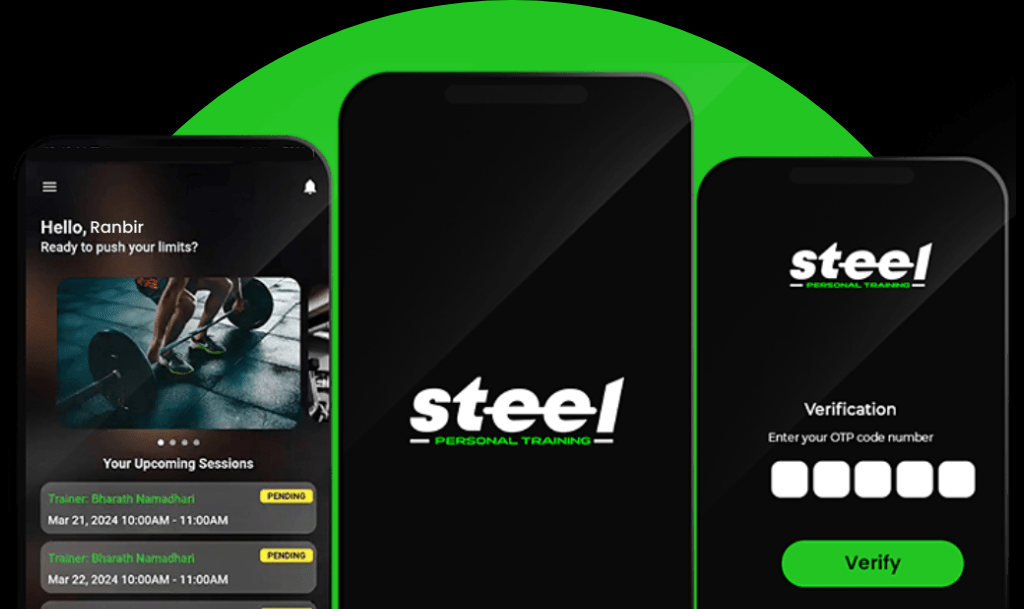
App How-To’s

How to Register
- Step 1: Download the App.
- Step 2: Slide or skip to the login page.
- Step 3: Click “Don’t have an account? Register.”
- Step 4: Fill in your details (name, mobile number, email) and accept the terms.
- Step 5: Verify with OTP.
- Step 6: You’ll be redirected to the Homescreen.
- Congrats! You have been successfully registered.
How to Subscribe
- Step 1: After successful registration, open the app and go to the Homescreen. Click “Subscribe.”
- Step 2: Select your location.
- Step 3: Choose your preferred plan.
- Step 4: Select the duration.
- Step 5: Choose your preferred time slot.
- Step 6: Click “Continue.”
- Step 7: Click “Go to Payments.”
- Step 8: Use your preferred payment method.
- Step 9: After payment, you will receive a confirmation.
- Awesome! You’ve subscribed successfully.
https://youtu.be/iVqOwZ8R6yk
How to Reschedule
- Step 1: Go to the Homescreen.
- Step 2: Select the session you want to reschedule from upcoming sessions.
- Step 3: Choose a new date first, then choose a time for rescheduling. You can select up to 3, with the first being the highest priority.
- Step 4: Check the box for another trainer if yours is unavailable.
- Step 5: You will be notified once the request is accepted.
- Great! Your session is rescheduled successfully.
- Note: This is a courtesy feature and depends on coach availability.
Reschedule Rules
- Rescheduling is a courtesy and depends on trainer availability.
- You can reschedule up to 4 times in a 30-day period, starting from your plan’s start date.
- You can reschedule a session either 10 days before the session or up to 2 hours before the session.
- For a session on May 25th 10am, you can reschedule anytime from May 15th 10am to May 25th 8am.
How to Renew
- Step 1: Go to the Homescreen.
- Step 2: Click on the burger icon.
- Step 3: Click on “Plan Details.”
- Step 4: Click on “Renew Plan.”
- Step 5: Choose the duration.
- Step 6: Click “Go to Payment.”
- Step 7: Choose your preferred payment method.
- Step 8: You will receive a notification on successful payment.
- Hooray! Your plan is renewed successfully.
How to Contact Help and Support
- Step 1: Go to the Homescreen.
- Step 2: Click on the burger icon.
- Step 3: Click on “Help and Support.”
- Step 4: Click “Contact Us” for help via call or email.
- Step 5: Click on “FAQs” for common problems.
- Step 6: Click on “Terms and Conditions” to read the terms and conditions.
- We’re here to help! Contact us anytime you need assistance.
Changing Training Level, Slot, Trainer, or Plan Validity
- For any changes to your training level, slot, trainer, or plan validity> (e.g., freezing or extensions), please email support@steelgym.in.
Note that applicable charges will be incurred for any changes.